If you run a business in Austin, your website is often the first place people meet you. It shapes how they see your brand. It affects whether they call, book, or buy.
Yet many local companies still struggle with the basics. They invest money into design but miss the details that matter. The result? Low traffic. Poor conversions. Frustrated users.
If you’re planning or updating your web design Austin, here are the most common mistakes to avoid — and what to do instead.
1. Designing for Looks Instead of Results
Yes, design matters. But design alone does not grow a business.
Some Austin businesses focus too much on fancy animations, bold layouts, or trendy colors. The site looks modern. But it loads slowly. Or it confuses visitors. Or it hides key information.
Your website should support your goals:
-
More calls
-
More form submissions
-
More bookings
-
More sales
Ask yourself a simple question: Can someone land on my homepage and understand what I do in five seconds?
If the answer is no, your design needs work.
Good web design Austin starts with clarity. Clear headline. Clear services. Clear call to action.
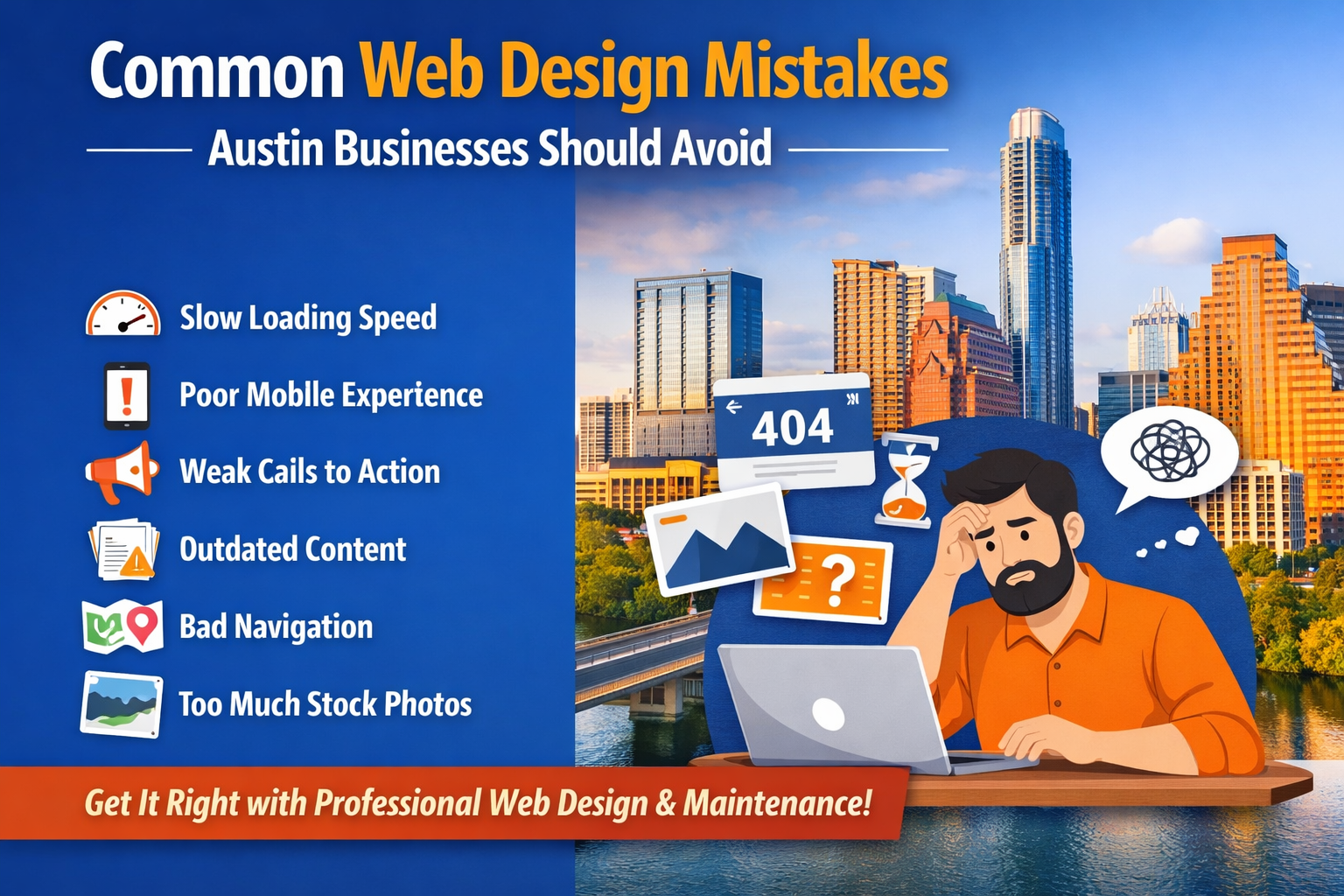
2. Ignoring Mobile Users
Austin is a fast-moving city. People search on their phones. They compare businesses while sitting in traffic, at coffee shops, or during meetings.
If your site does not work well on mobile, you’re losing real customers.
Common mobile mistakes:
-
Text too small to read
-
Buttons too close together
-
Images cut off
-
Slow loading time
-
Popups blocking the screen
Mobile design is not optional anymore. It’s the standard.
Before launching your site, test it on different phones. Scroll through every page. Fill out your own contact form. If it feels annoying, your visitors feel the same way.
3. Slow Website Speed
Speed is not just technical. It’s business.
When a page takes more than a few seconds to load, many users leave. And Google notices that behavior.
Heavy images, messy code, too many plugins, and poor hosting are common causes.
If you are serious about web design Austin, speed optimization must be part of the process.
Here’s what helps:
-
Compressed images
-
Clean code
-
Limited plugins
-
Reliable hosting
-
Caching setup
A fast website feels professional. A slow one feels outdated.
4. Weak Calls to Action
Some sites look fine but don’t tell visitors what to do next.
You can’t assume people will “figure it out.”
If you want calls, say “Call Now.”
If you want bookings, say “Schedule a Consultation.”
If you want quotes, say “Request a Quote.”
Be direct.
And don’t hide your call to action at the bottom of the page. Place it clearly on:
-
Homepage
-
Service pages
-
Contact page
-
Header or navigation
A strong call to action guides users. Without it, your traffic means little.
5. Poor Navigation Structure
Confusing menus are common. Too many tabs. Too many dropdowns. Or unclear labels.
Visitors should not struggle to find:
-
Services
-
Pricing (if available)
-
About information
-
Contact details
Keep your navigation simple. Use clear words.
For example, don’t label your services page something creative but unclear. Just call it “Services.”
A clean structure improves user experience and helps search engines understand your content.
6. No Clear Local Focus
Austin is competitive. If your site does not show strong local relevance, you blend into the crowd.
Some businesses forget to mention:
-
Service areas
-
Local neighborhoods
-
Austin-based case studies
-
Local testimonials
If you are targeting local customers, your web design Austin strategy should reflect that.
Include:
-
Location-specific service pages
-
Embedded Google Maps
-
Local keywords naturally placed
-
Real photos when possible
This builds trust and improves local search visibility.
7. Outdated Content
An outdated website signals neglect.
Old blog posts. Expired promotions. Broken links. Outdated team members.
Users notice.
This is where website maintenance services become important. Launching a site is not the finish line. It’s the start.
Regular updates help with:
-
Security
-
Plugin updates
-
Content freshness
-
Broken link fixes
-
Speed improvements
If you ignore maintenance, your site slowly declines — even if it looked great on day one.
And no, updating once a year is not enough.
8. Ignoring SEO Structure
Some Austin businesses design first and think about SEO later. That’s a mistake.
Search engines need structure:
-
Proper heading tags (H1, H2, H3)
-
Clean URLs
-
Meta titles and descriptions
-
Internal linking
-
Image alt text
Without this foundation, your site struggles to rank — no matter how good it looks.
Good web design Austin blends design and SEO from the beginning. They work together, not separately.
9. Too Much Stock Photography
Stock images are easy. But overusing them can hurt your credibility.
When visitors see generic office photos, they don’t connect with your brand.
Whenever possible:
-
Use real team photos
-
Show your workspace
-
Display real projects
-
Add authentic client testimonials
Real visuals build trust. And trust drives action.
10. No Ongoing Strategy
Some businesses treat their website as a one-time project.
They build it. Launch it. And forget it.
But your competitors are updating. Improving. Publishing new content. Investing in optimization.
If you want long-term results, you need a plan:
-
Content updates
-
SEO monitoring
-
Performance tracking
-
Regular improvements
This is where professional website maintenance services help. Not just for technical fixes, but for long-term growth.
11. Overcomplicating the Design
Minimal does not mean boring. And simple does not mean basic.
Cluttered layouts, too many fonts, inconsistent colors — these hurt readability.
Stick to:
-
2–3 main colors
-
1–2 font families
-
Clear spacing
-
Simple layouts
When everything competes for attention, nothing stands out.
12. Not Tracking Performance
If you don’t track performance, you’re guessing.
Set up:
-
Google Analytics
-
Search Console
-
Conversion tracking
Look at:
-
Traffic sources
-
Bounce rate
-
Conversion rate
-
Top-performing pages
If a page gets traffic but no conversions, fix it.
If no one visits a service page, improve SEO or internal links.
Smart web design Austin decisions rely on data, not assumptions.
Final Thoughts
Your website should work as a business tool. Not just an online brochure.
Avoiding these common mistakes can save time, money, and lost opportunities.
If you are investing in web design Austin, focus on clarity, speed, usability, and long-term support. And don’t ignore maintenance. Ongoing care through proper website maintenance services keeps your site secure, updated, and competitive.
And here’s something many business owners don’t like to hear: if your website hasn’t been updated in three or four years, it’s probably costing you customers. That’s not harsh. It’s reality.
Take a step back. Review your site honestly. Fix what’s broken. Improve what’s weak.
Because in a city like Austin, your competitors are not standing still.